

Last time I wrote about how to build your own Oracle GoldenGate images. If you missed it, you can check it here: Oracle GoldenGate in Containers: Building and Running Your Own Images, but there were some “missing stuffs”
The official Oracle GoldenGate Dockerfile supports only two build arguments: the base OS image and the GoldenGate installer ZIP.
That works perfectly for standard builds, but in real life, things are rarely that simple.
What happens when you need to apply a one-off patch on top of a Release Update? What if a critical bug fix is available, but not yet included in an official container image?
Let’s walk through how to handle that scenario.
DISCLAIMER:
Before we go any further, let’s be clear. This approach is not officially documented as a supported build workflow by Oracle. What I’m doing here is extending the official Docker build process.
It works. But you are responsible for validating it in your own environment.
If something breaks in production, you cannot simply say “but I followed a blog post”. Even if that blog post is mine.
Now that we agree on that, let’s continue.
Building an Image with a RU and One-Off Patch
First, I cloned the official repository and made small changes to support additional build arguments.
- Official repository: Oracle GoldenGate 23ai Microservices Edition Container Images
- My extended version: Oracle GoldenGate 23 Docker Images (Extended Build with RU & One-Off Patches)
- This has been tested with OGG 23ai and 26ai.
- The build process supports applying multiple one-off patches. However, there is not conflict check on it. You must validate compatibility and order of application yourself.
- Also keep in mind that some folders are removed during the build to reduce image size. Oracle does “similar” thing in the images they release, you may notice differences.
- Again, not official. Community-driven.
Example Scenario
In this example, we build an image for Oracle GoldenGate 23.26.1.0.0 (26ai).
Then we apply one-off patch 38965655, which fixes several issues.
Among the fixes included in this patch:
- 27986420 PK check should be skipped during BATCHSQL if INSERTALLRECORDS is enabled
- 29351753 PR writes mutiple warning messages (=map_parallelism) for sourcedefs
- 29709965 Extract to skip XA transactions and log a Warning instead of Abend
- 30374642 Support Remote Capture for MySQL for Oracle GoldenGate on Windows
- 30505695 Dual driver support (PostgreSQL native and Data driver)
- 31639244 desupport FORMATASCII, FORMATXML, FORMATSQL
- 31714613 Unable to fetch data from Materialized View by CDC extract
- 31750614 Admin Client Command-Line Arguments Support
- 31943030 Support Capture from OCI PostgreSQL
- 32120469 PR reports 2 rollbacks for 2 table truncates for “BATCHSQL statistics”
So instead of waiting for a new official container image that are release when every RU is release, in most cases if the bug is serious you will need to patch with certain urgency, right? so we can patch during build time.
You only need:
- Oracle GoldenGate software ZIP
- Copy the ZIP here:
installers/OGGRU
- Copy the ZIP here:
- Opatch ZIP
- Copy the ZIP here:
installers/OPatch
- Copy the ZIP here:
- One-off patch ZIP
- Copy the ZIP(s) here:
installers/OneOffPatches
- Copy the ZIP(s) here:
I prepared everything already as mentioned:
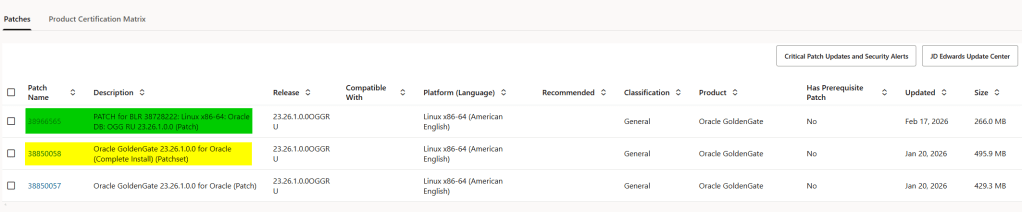
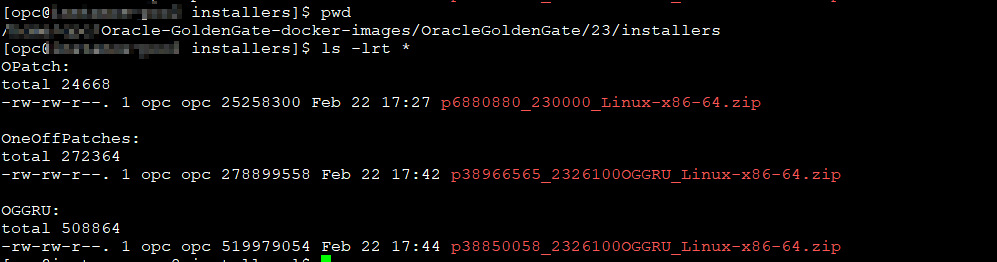
Building Two Images for Comparison
For demonstration purposes, I built two images:
- 23.26 only
- 23.26 with one-off patch 38965655
Base Image Build
podman build \
  -t ogg:26ai \
  --build-arg INSTALLER=installers/OGGRU/p38850058_2326100OGGRU_Linux-x86-64.zip \
  .
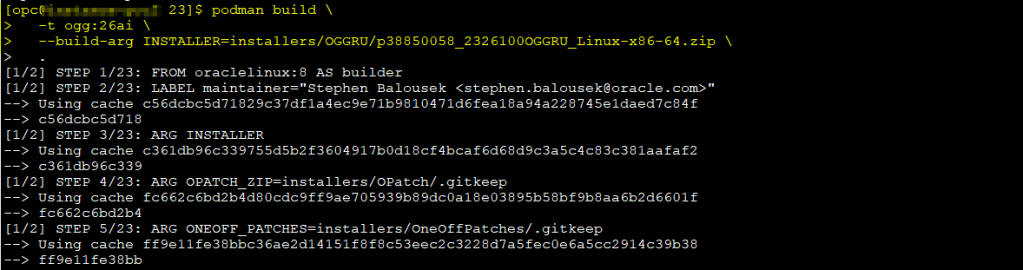

This produces the base 23.26 image.
Patched Image Build
We have new arguments to build an image with one off patches.
OPATCH_ZIP and ONEOFF_PATCHES. For one off you can pass more than one! just use the comma as separator and that’s it:
podman build \
  -t ogg:26ai-oneoff-38966565 \
  --build-arg INSTALLER=installers/OGGRU/p38850058_2326100OGGRU_Linux-x86-64.zip \
  --build-arg OPATCH_ZIP=installers/OPatch/p6880880_230000_Linux-x86-64.zip \
  --build-arg ONEOFF_PATCHES=installers/OneOffPatches/p38966565_2326100OGGRU_Linux-x86-64.zip \
  .
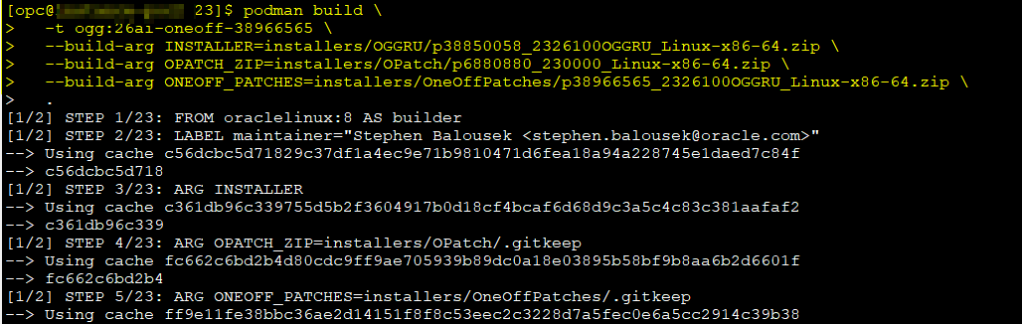
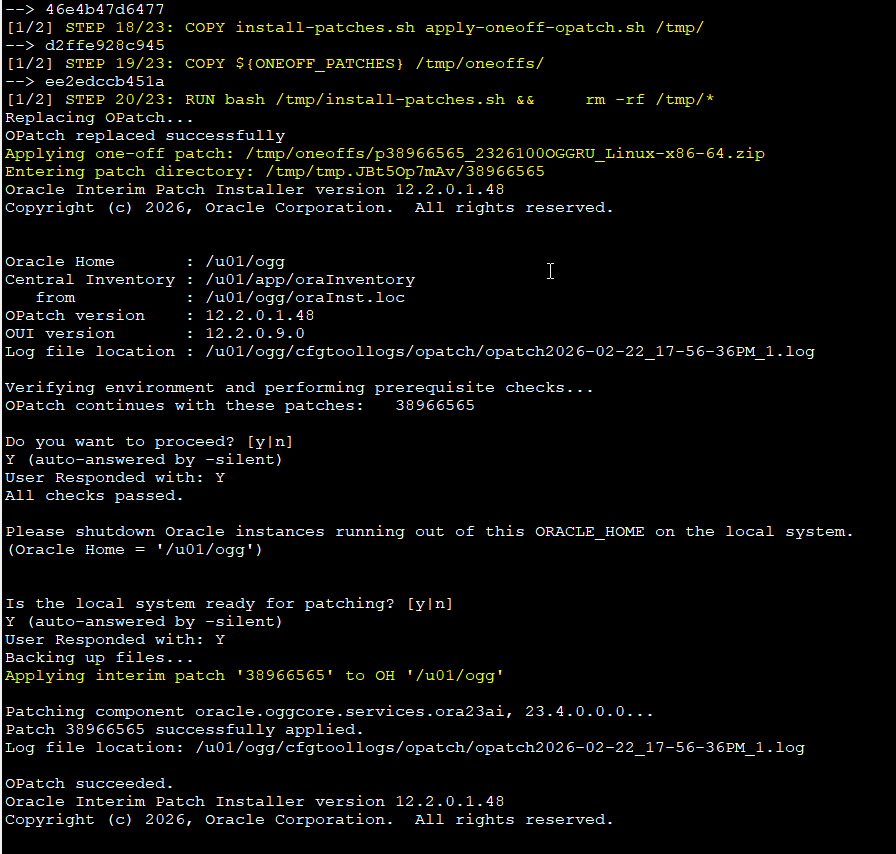
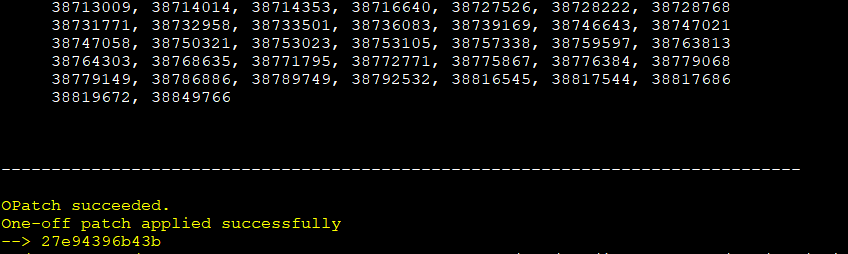
During the build process, you can see OPatch being executed and the patch applied successfully.
That is the key difference. The patch is baked into the image itself.
Something Interesting About Docker Builds
When you apply a patch using OPatch, a .patch_storage directory is created. This includes rollback files.
In a traditional installation, that makes perfect sense. In a container image, it does not.
Containers are immutable by design. If something goes wrong, you rebuild the image. You do not rollback inside a running container.
Because of that, I remove these directories in the Dockerfile to reduce image size:
# ---------------------------------------------------------
# Runtime cleanup (still in builder!)
# ---------------------------------------------------------
RUN set -eux; \
    rm -rf \
        /u01/ogg/jdk \
        /u01/ogg/oui \
        /u01/ogg/inventory \
        /u01/ogg/cfgtoollogs \
        /u01/ogg/install \
        /u01/ogg/deinstall \
        /u01/ogg/OPatch \
        /u01/ogg/.patch_storage

The result?
The patched image remains around 2.13GB, similar to the cleaned base image, instead of temporarily growing to 4.17GB during build time.
Cleaner image. Same functionality.
Again, read the disclaimer 😊.
Creating a Container from the Patched Image
Nothing changes here. Once the image is built, you run it exactly the same way:
podman run -p 8443:443 -e OGG_ADMIN="oggadmin" -e OGG_ADMIN_PWD="*****" -e OGG_DEPLOYMENT=ogg26ai_container localhost/ogg:26ai-oneoff-38966565
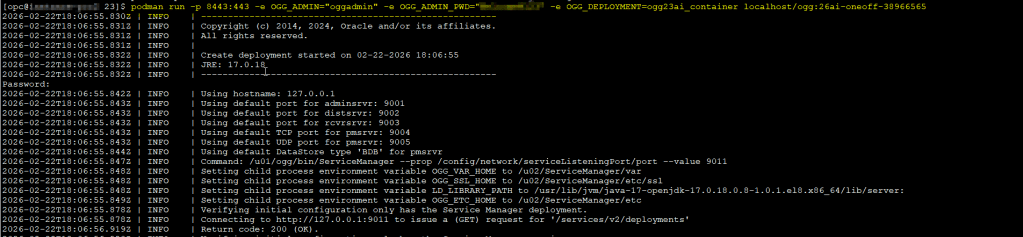
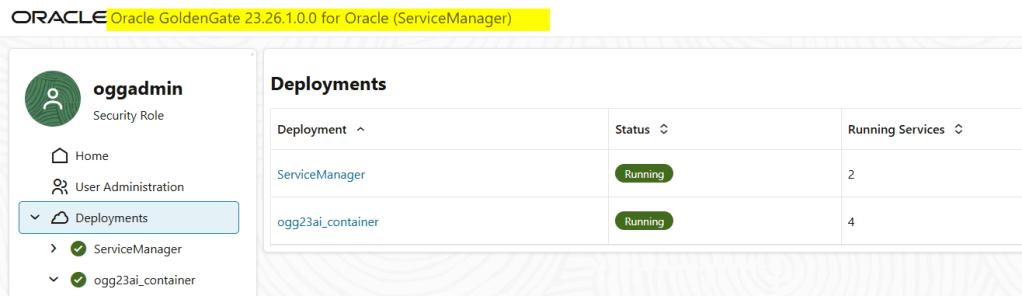
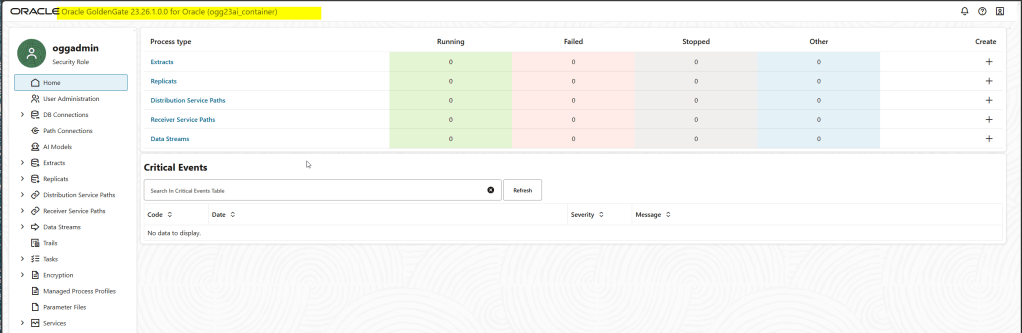
And that’s it.
You now have GoldenGate 23.26 with one-off patch 38965655 fully baked into your container image.
Conclusion
Running Oracle GoldenGate in containers is absolutely possible and fully supported when you use official base images and follow Oracle’s supported platforms.
However, real-world projects sometimes require more flexibility. One-off patches may be needed before Oracle publishes updated container images in the registry.
By extending the official Dockerfile, you can integrate RU and one-off patches directly into your build process, keeping your container strategy aligned with enterprise patching requirements.
This approach is especially useful for labs, PoCs, and environments where fast iteration is required.
For production environments, make sure you:
- Validate patch compatibility
- Test the image thoroughly
- Align with Oracle support policies
- Document your build process clearly
Containers simplify deployment, but they do not eliminate responsibility. You still need governance, testing, and proper lifecycle management.
If you understand those trade-offs, this method gives you full control over your GoldenGate container images.
Final Disclaimer
The information provided in this article is for educational and informational purposes only.
This build approach extends Oracle’s official Dockerfiles and is not explicitly documented as a supported patching workflow for container images. Always verify compatibility, validate patches in non-production environments, and consult Oracle Support when required.
Neither the author nor DatabaseVerse is responsible for any damage, data loss, service interruption, or unexpected behavior resulting from the use of this method.
Use it wisely. Test it properly. And as always, patch responsibly.




 DatabaseVerse: Journey into the World of Databases
Leave a reply to Oracle GoldenGate in Containers: Building and Running Your Own Images – DatabaseVerse: Journey into the World of Databases Cancel reply