

I have been digging into deploying Oracle GoldenGate on OCI Kubernetes Engine (OKE), and during this work one thing became very clear.
If you plan to use OCI as an end-to-end architecture, sooner or later you will need to build your own Docker images, or reuse existing ones, and upload them to a container registry.
In OCI, that registry is Oracle Container Registry (OCIR).
This post walks through what OCIR is, how security and permissions work, and how to push your first image step by step.
- What is Oracle Container Registry (OCIR)?
- OCIR Security Model: IAM First, Always
- IAM Permissions Required to Use OCIR
- Understanding the OCIR Image Naming Convention
- Pushing a Docker Image to OCIR (Step-by-Step Demo)
- Using OCIR with OKE and OCI Compute Instances
- Common OCIR Pitfalls and Errors
- Final Thoughts
What is Oracle Container Registry (OCIR)?
Oracle Container Registry (OCIR) is the private, fully managed container registry service provided by Oracle Cloud Infrastructure.
Think of it as Oracle’s equivalent to Docker Hub or Amazon ECR, but fully integrated with OCI identity, networking, and security controls.
OCIR allows you to:
- Store private Docker images securely
- Control access using OCI IAM
- Integrate seamlessly with OKE, Compute instances, and CI/CD pipelines
- Avoid exposing images to public registries
A key point that often surprises people: OCIR is regional. If your registry is in eu-madrid-1 for example, your images live there, and you push and pull them from that region endpoint.
OCIR Security Model: IAM First, Always
OCIR relies entirely on OCI Identity and Access Management (IAM).
Key characteristics:
- No registry-specific users
- No embedded credentials
- All access is evaluated via IAM policies
- Permissions are granted at compartment level
Authentication methods include:
- OCI Auth Tokens (recommended for users and CI systems)
- Instance Principals / Resource Principals (for OKE and OCI-native services)
In this demo, we will use Auth Tokens.
IAM Permissions Required to Use OCIR
To work with OCIR, you need permissions on the compartment where the registry is used.
At a minimum:
- Pull images:
read repos - Push images:
manage repos
A simple example policy looks like:
Allow group ocir-users to manage repos in compartment my-compartment
It is always recommended to follow the principle of least privilege, so check the official doc to give only the permissions you actually need to: Policies to Control Repository Access
Important details:
- Permissions apply at compartment level
- Repositories inherit permissions automatically
- No per-repository IAM policies exist
Once permissions are in place, the next common source of confusion is the image naming convention used by OCIR.
Understanding the OCIR Image Naming Convention
OCIR image names are long on purpose. A typical image looks like this:
<region>.ocir.io/<tenancy-namespace>/<repo-name>:<tag>
Each component matters:
- Region defines where the registry lives
- Tenancy namespace is unique and immutable
- Repository name is created automatically if it does not exist
- Tag behaves like any Docker tag
Most push errors are caused by an incorrect region or namespace.
These are very common mistakes, and this happened to me as well 😊
With the naming convention clear, we can now walk through a complete example of pushing an image to OCIR.
Pushing a Docker Image to OCIR (Step-by-Step Demo)
Now let’s walk through a complete example.
Note: Commands shown here work with both Docker and Podman. In this demo, Podman is used.
Generate an OCI Auth Token
First thing we have to do is to generate an authentication token, I will show you how to do it using the console
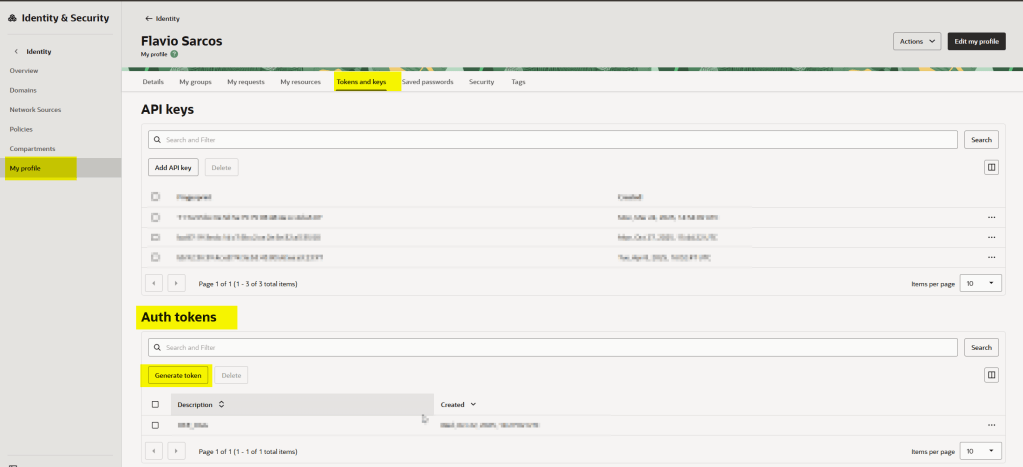
Login to your OCI tenant account and go to your profile:

Then in the Auth Token section below, just click in Generate Token
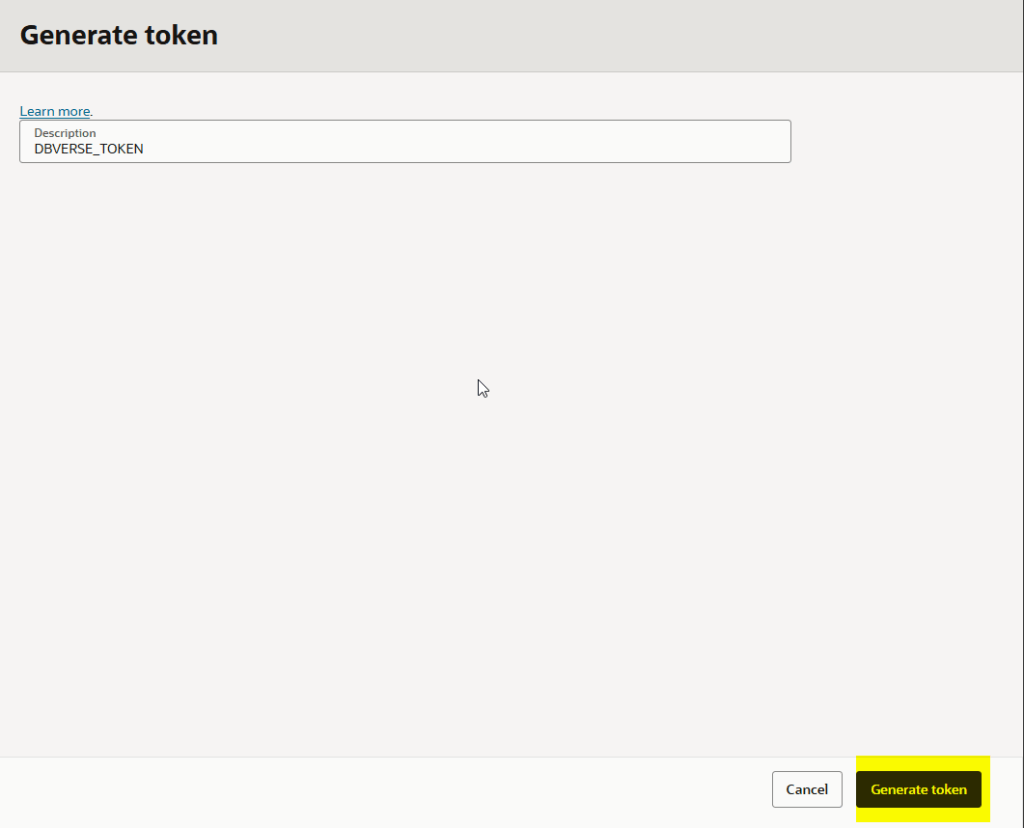
Give it a description and click in the Generate token button:
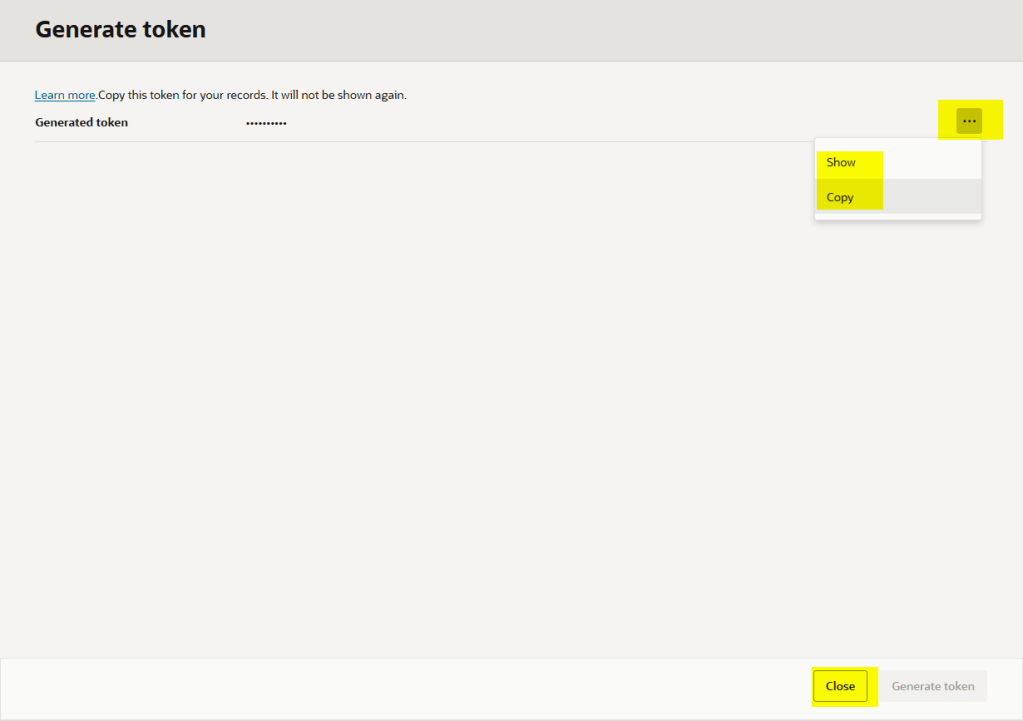
Finally copy the token:
Login to OCIR using Docker or Podman
To push the images we will need to login to OCIR and as mentioned earlier, OCIR is a regional service, in this demo I will use the madrid region, you can check all the regions here: Preparing for Container Registry
podman login <registry-domain>, where <registry-domain> includes a region key or region identifier for the Container Registry region
podman login mad.ocir.io
You will need to provide your namespace during the login process as well, you can get namespace executing this oci command
oci os ns get

Example:
Username: namespace/username
Password: token
Tag the local image
I have downloaded the docker image previously but before that, I need to tag it using the naming convention

Just as reminder:
<region>.ocir.io/<tenancy-namespace>/<repo-name>:<tag>
So, let’s tag the goldengate-oracle docker image
podman tag IMAGE_ID <region>.ocir.io/<tenancy-namespace>/<repo-name>:<tag>
podman images

Push the image
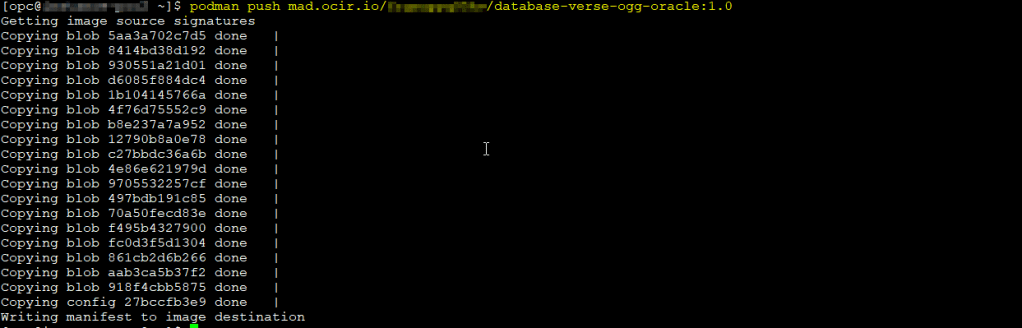
To push the image just run the podman push command as follow:
podman push <region>.ocir.io/<tenancy-namespace>/<repo-name>:<tag>
Verify the repository in OCI Console
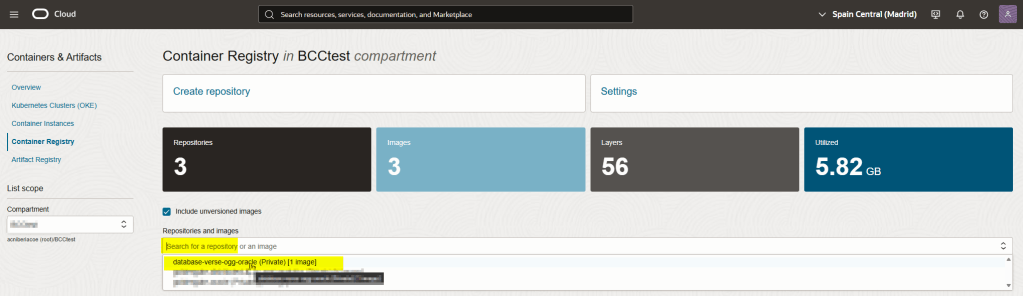
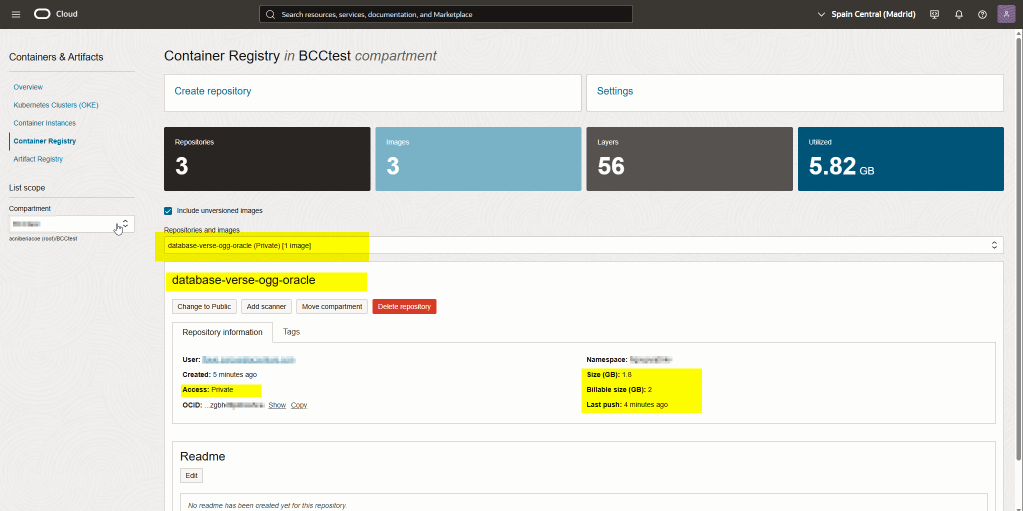
That’s it!
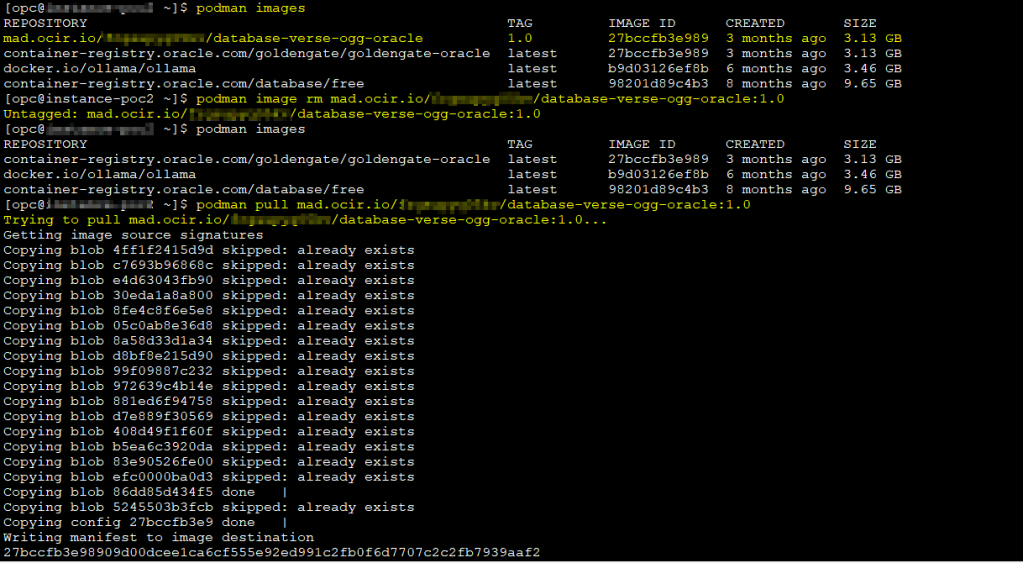
Then you will be able to pull the image as follows:
podman pull <region>.ocir.io/<tenancy-namespace>/<repo-name>:<tag>
Using OCIR with OKE and OCI Compute Instances
For production workloads:
- OKE uses IAM and dynamic groups
- No auth tokens are required in Kubernetes
- Compute instances can use instance principals
This eliminates hardcoded credentials and aligns with OCI security best practices.
Common OCIR Pitfalls and Errors
Some frequent issues:
- Wrong region in registry URL
- Incorrect tenancy namespace
- Missing
manage repospermission - Expecting public repositories to allow push access
Final Thoughts
Oracle Container Registry is simple once you understand that IAM is the real control plane behind it. Most issues do not come from Docker or Podman itself, but from missing permissions, incorrect regions, or an incorrect tenancy namespace.
The good news is that once these concepts are clear, OCIR integrates very naturally with OCI services like OKE and Compute instances, allowing you to avoid hardcoded credentials and follow OCI security best practices.
If you are running containerized workloads on OCI, using OCIR is not just convenient, it is the most consistent and secure option available within the platform.
Once you internalize these concepts, working with OCIR becomes straightforward and predictable.


 DatabaseVerse: Journey into the World of Databases
Leave a comment