
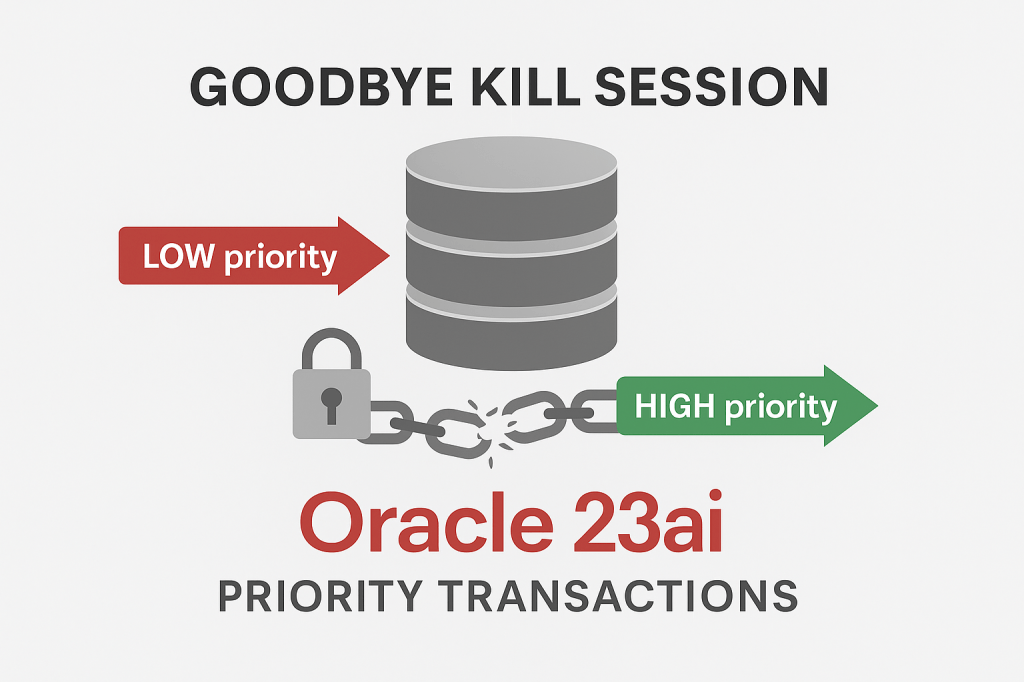
If you are a DBA you’ve probably received an urgent call time to time from someone saying my applications is blocked, the query is not ending or you are seeing in the monitoring that blocking session counts is increasing overtime and you are looking for what is going on in the database
Good news in 23ai! this is probably going to change (hopefully!)
- What is priority transactions?
- Priority Transaction Mode (TRACK vs ROLLBACK)
- Testing priority transactions in TRACK and ROLLBACK modes
- Conclusion
What is priority transactions?
Priority Transactions is a very interesting topic in Oracle Database 23ai. It provides the functionality to control when and which transactions holding row locks can be automatically rolled back. Oracle Database rolls back the transaction but the session stays alive. The application must acknowledge the automatic rollback of the transaction by issuing a ROLLBACK SQL statement.
How does it work?
Normally when any kind of DML (INSERT, UPDATE, DELETE, MERGE, and SELECT ... FOR UPDATE) operation is going on your session or an application sessions modifies some rows and Oracle internally acquires a row lock for each row that has been modified, if another session needs to access those rows then the session will wait until the first session release those locked rows, that will be perform when a COMMIT or ROLLBACK is executed, but if that does not happens for whatever reason here (long running query, unexpected behavior from the app that crash and did not commit or rollback the transaction… etc) then, a DBA help will be necessary to manually terminate the blocking transaction by killing the session (ALTER SYSTEM KILL) or cancel de SQL statement (ALTER SYSTEM CANCEL SQL).
Now, in Oracle 23ai you have the option to implement priority transactions decisions based on different priorities values between LOW, MEDIUM and HIGH that is the DEFAULT. The Priority Transactions feature will then automatically roll back low-priority transactions that are blocking higher-priority transactions from obtaining row locks after a pre-defined wait time.
How to implement priority transactions
To implement this feature you need to set two parameters – one for the wait time in seconds for MEDIUM or LOW priority transactions and one for the transaction priority itself.
Oracle provides session (at session level) settings to control the transaction priority as follow:
ALTER SESSION SET "txn_priority" = "HIGH";
The valid values for txn_priority are: LOW, MEDIUM, and HIGH. As mentioned early: all the transactions get a DEFAULT priority of HIGH, that means that no transaction will be rolled back by default.
Note that if this parameter is modified after the transaction has started, then current transaction’s priority will not be changed dynamically. The next transaction created in the session will use the updated priority.
Examples:
- If a
HIGHpriority transaction is blocked for a row lock, Oracle can roll back the transaction holding the lock only if it isLOWorMEDIUMpriority. - If a
MEDIUMpriority transaction is blocked, Oracle can roll back the holder only if it isLOWpriority. - A
LOWpriority transaction blocked for a row lock will not be rolled back, regardless of holder priority.
Oracle database never rolls back a HIGH priority transaction.
- Note 1: This parameter should be set by the application based on understanding the criticality of the transaction.
- Note 2: If a transaction is holding a rowlock and not blocking any transaction, such a transaction is never rolled back.
Now, to control what time a transaction holding a row lock can be automatically rolled back, we have the following parameters:
PRIORITY_TXNS_HIGH_WAIT_TARGETPRIORITY_TXNS_MEDIUM_WAIT_TARGET
We should set the maximum time duration, in seconds, that transaction with priority HIGH and MEDIUM will wait before the database rolls back a lower priority transaction holding a row lock. It is important to know that the database won’t kill the blocking session it will just rollback the transaction causing the blocking and the session will remain alive…so:
Application should be prepared for acknowledge this automatic rollback by catching
ORA-63300 Transaction is automatically rolled back since it is blocking a higher priority transaction from another session
And issuing a ROLLBACK SQL statement, otherwise all following SQL statements in the session will keep receiving an:
ORA-63302 Transaction must roll back.
There is no low priority wait target parameter provided since Oracle database doesn’t roll back a blocker transaction if waiter’s priority is LOW.
The priority transactions feature is only enabled when both the transaction priority and the wait target parameters are set
So, how to set it:
ALTER SESSION SET CONTAINER = PDBX;
ALTER SYSTEM SET priority_txns_high_wait_target = 10 scope=spfile sid='*';

ALTER PLUGGABLE DATABASE PDBX close immediate instances=all;
ALTER PLUGGABLE DATABASE PDBX OPEN instances=all;
Note: This parameter is modifiable at PDB level and you can have different values for each instance if you have RAC, although that is not recommended, that’s why I have added sid=’*’ to set it for all the instances, you will need to restart your PDB so parameter change takes effect.
You can review after restart of PDB as follow:
set linesize 120
col name format a40
col value format a30
select inst_id, name, value from gv$parameter where name like 'priority%';
If you are uncertain about how this works, you have the option to test it out!
Priority Transaction Mode (TRACK vs ROLLBACK)
By default priority_txns_mode is set to ROLLBACK
ROLLBACK: This setting enables Priority Transactions. The database will automatically roll back low-priority transactions that are blocking higher priority transactions from obtaining row locks
But!, you can set it to TRACK
TRACK: This setting allows you to track the potential behavior of Priority Transactions. You can use this mode to tune the Priority Transactions initialization parameters before enabling
ROLLBACKmode.
Oficial doc: PRIORITY_TXNS_MODE
To set it just do the following:
ALTER SESSION SET CONTAINER = PDBX;

ALTER SYSTEM SET "priority_txns_mode"="TRACK" scope=spfile sid='*';

ALTER PLUGGABLE DATABASE PDBX close immediate instances=all;
ALTER PLUGGABLE DATABASE PDBX OPEN instances=all;
Note: This parameter is modifiable at PDB level and you can have different values for each instance if you have RAC, although that is not recommended, that’s why I have added sid=’*’ to set it for all the instances, you will need to restart your PDB so parameter change takes effect.
In this mode, no rollbacks occur. Oracle simply monitors how long higher-priority transactions wait on row locks (e.g., enq: TX - row lock contention).
In TRACK mode, Oracle won’t roll back anything, it will just observe and record how long high-priority transactions are waiting for locks. This helps you understand what a normal wait time looks like in your system.
For example, if high-priority transactions usually wait up to 10 seconds, you might set the PRIORITY_TXNS_HIGH_WAIT_TARGET to a higher value (like 90 seconds) to avoid unnecessary rollbacks of legitimate transactions.
Once you’ve collected enough data and tuned your wait targets, you can confidently switch to ROLLBACK mode and let Oracle manage lock contention based on transaction priorities.
Let’s go ahead and do some testing, shall we?
Testing priority transactions in TRACK and ROLLBACK modes
Let’s see our environment first
This is the default that we have know:
   INST_ID NAME                                     VALUE
---------- ---------------------------------------- ------------------------------
         1 priority_txns_high_wait_target           2147483647
         1 priority_txns_medium_wait_target         2147483647
         1 priority_txns_mode                       ROLLBACK

priority_txns_mode = TRACK
Let’s set the parameter and set the priority_txns_mode = TRACK
SQL> alter system set priority_txns_high_wait_target = 5 scope=spfile sid='*';

System altered.

SQL>  alter system set priority_txns_medium_wait_target = 10 scope=spfile sid='*';

System altered.

SQL> alter system set priority_txns_mode = 'TRACK' scope=spfile sid='*';

System altered.

SQL> alter session set container = CDB$ROOT;

Session altered.

SQL> alter pluggable database FREEPDB1 close immediate instances=all;

Pluggable database altered.

SQL> alter pluggable database FREEPDB1 open  instances=all;

Pluggable database altered.

SQL>  alter session set container = FREEPDB1;

Session altered.

SQL> set linesize 120
SQL> col name format a40
SQL> col value format a30
SQL> select inst_id, name, value from gv$parameter where name like 'priority%';

   INST_ID NAME                                     VALUE
---------- ---------------------------------------- ------------------------------
         1 priority_txns_high_wait_target           5
         1 priority_txns_medium_wait_target         10
         1 priority_txns_mode                       TRACK

Great, let’s open some sessions:
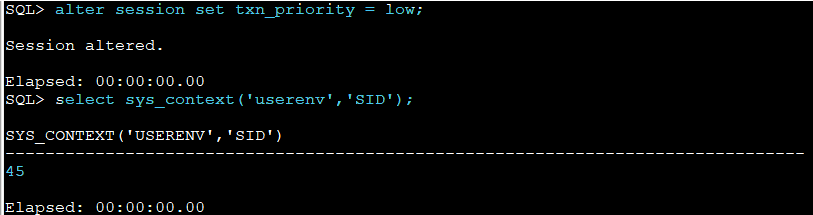
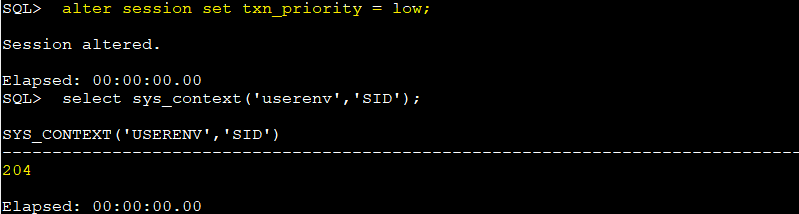
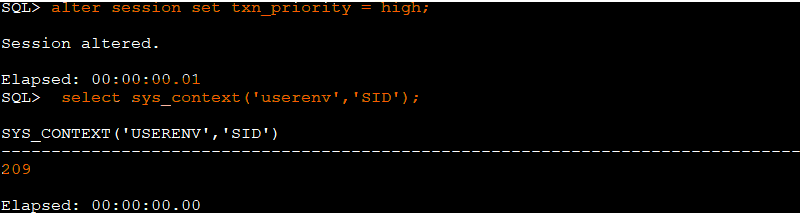
So, we have this:
- SID = 45, txn_priority = low
- SID = 204, txn_priority = low
- SID = 209, txn_priority = high
SID = 45 is executing the following:
SQL> update scott.emp set sal=1200 where empno=7369;

1 row updated.

Elapsed: 00:00:00.02
As you can see there is not commit yet there.
SID = 204 has executed this:
update scott.emp set sal=1250 where empno=7369;
And now is waiting/blocked
and SID = 209 has executed this:
update scott.emp set sal=800 where empno=7369;
it is also waiting and blocked!
SQL> col event format a35
SQL> select inst_id, sid, event, seconds_in_wait, blocking_session from gv$session where event like '%enq%';

   INST_ID        SID EVENT                               SECONDS_IN_WAIT BLOCKING_SESSION
---------- ---------- ----------------------------------- --------------- ----------------
         1        204 enq: TX - row lock (LOW priority)               165               45
         1        209 enq: TX - row lock (HIGH priority)              152               45
As you can see above SID 204 and SID 209 are waiting and blocked due to uncommitted update from SID=45, those session has been waiting for more than 5 seconds and ROLLBACK automatically has not been executed since we have set the parameter priority_txns_mode to TRACK, however we are tracking some stats about this here:
col name for a60
col value for 999999999
select name, value from V$SYSSTAT where  name like '%txns track mode%';

This is useful to analyze the environment and adjust parameter accordingly before setting priority_txns_mode = ROLLBACK
priority_txns_mode = ROLLBACK
Now, let’s see how rollback works!
SQL>  alter system set priority_txns_mode = ROLLBACK scope=spfile sid='*';

System altered.

SQL> alter session set container = CDB$ROOT;

Session altered.

SQL> alter pluggable database FREEPDB1 close immediate instances=all;

Pluggable database altered.

SQL> alter pluggable database FREEPDB1 open instances=all;

Pluggable database altered.

SQL> alter session set container = FREEPDB1;

Session altered.

SQL> @p.sql
SQL> echo on
SP2-0042: unknown command "echo on" - rest of line ignored.
SQL> set linesize 120
SQL> col name format a40
SQL> col value format a30
SQL> select inst_id, name, value from gv$parameter where name like 'priority%';

   INST_ID NAME                                     VALUE
---------- ---------------------------------------- ------------------------------
         1 priority_txns_high_wait_target           5
         1 priority_txns_medium_wait_target         10
         1 priority_txns_mode                       ROLLBACK
Let’s do the same test now!
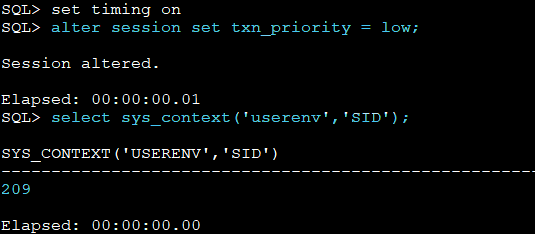
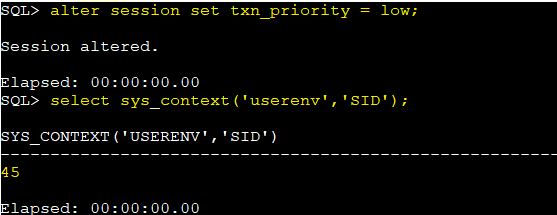

We have now the following:
- SID = 209, txn_priority = low
- SID = 45, txn_priority = low
- SID = 192, txn_priority = high
SID = 209 has executed this:
SQL> update scott.emp set sal=1200 where empno=7369;

1 row updated.

Elapsed: 00:00:00.02
SID = 45, has executed this:
update scott.emp set sal=1250 where empno=7369;

1 row updated.

Elapsed: 00:00:23.64
SID = 192, has executed this:
SQL> update scott.emp set sal=800 where empno=7369;

1 row updated.

Elapsed: 00:00:09.98
If you take a look to the elapsed time there is something really interesting:
SID = 209 started and does not need to wait for anything because nobody else is doing a DML operation in the SCOTT.EMP table
Then, SID = 45 has entered to play and as you can see elapsed time is 23 secs.. interesting
Finaly, SID = 192 with the highest priority elapsed time is 10 seconds
Parameter
priority_txns_high_wait_targetis set to 5, this mean that SID = 192 wait 5 seconds for SID = 209 to commit since it did not do it that session has been “rollbacked”, then since SID = 45 was the second in order to start a DML using the same table SID = 192 wait another 5 secs and finally and second session has been forced to release the row as well

Let’s try to check the table in all the sessions now:

ERROR at line 1:
ORA-63302: Transaction must roll back
ORA-63300: Transaction is automatically rolled back since it is blocking a
higher priority transaction from another session.
As you can see, transactions has been rollback automatically
Just a summary for you check this table:
| Blocker Priority | Waiting Priority | Can Be Rolled Back? |
|---|---|---|
| LOW | HIGH or MEDIUM | ✅ Yes |
| MEDIUM | HIGH | ✅ Yes |
| HIGH | Any | ❌ No |
Conclusion
With Oracle 23ai, Priority Transactions introduce a smart way to manage blocking automatically rolling back lower-priority transactions that are holding up more important work. This can reduce the need for manual DBA intervention and improve the responsiveness of your applications.
But with great power comes great responsibility.
Before switching to ROLLBACK mode, it’s highly recommended to start in TRACK mode. TRACK lets you safely observe how long high-priority transactions typically wait, helping you fine-tune your system-level wait targets (like PRIORITY_TXNS_HIGH_WAIT_TARGET) without impacting running sessions.
Once you’ve collected enough data and defined sensible thresholds, then—and only then you should consider enabling ROLLBACK. Why? Because aggressive rollback settings could unintentionally disrupt legitimate long-running or critical transactions that happen to be marked as low or medium priority.
So test thoroughly. Monitor carefully. And when in doubt start with TRACK.




 DatabaseVerse: Journey into the World of Databases
Leave a comment